Hello World
https://www.rabbitmq.com/tutorials/tutorial-one-dotnet.html
Setup
1. Install RabbitMQ
I prefer installing it with Docker rather than installing it locally.
docker run -d
--hostname hello-world
--name test-rabbit
-p 7777:5672
-p 17777:15672
-e RABBITMQ_DEFAULT_USER=test
-e RABBITMQ_DEFAULT_PASS=test123
rabbitmq:3-management
2. Sending client
dotnet new console --name Send
mv Send/Program.cs Send/Send.cs
cd Send
dotnet add package RabbitMQ.Client
using System.Text;
using RabbitMQ.Client;
var factory = new ConnectionFactory { HostName = "localhost", UserName="test", Password ="test123",Port=7777 };
using var connection = factory.CreateConnection();
using var channel = connection.CreateModel();
channel.QueueDeclare(queue: "hello",
durable: false,
exclusive: false,
autoDelete: false,
arguments: null);
const string message = "Hello World!";
var body = Encoding.UTF8.GetBytes(message);
channel.BasicPublish(exchange: string.Empty,
routingKey: "hello",
basicProperties: null,
body: body);
Console.WriteLine($" [x] Sent {message}");
Console.WriteLine(" Press [enter] to exit.");
Console.ReadLine();3. Receiving client
dotnet new console --name Receive
mv Receive/Program.cs Receive/Receive.cs
cd Receive
dotnet add package RabbitMQ.Client
using System.Text;
using RabbitMQ.Client;
using RabbitMQ.Client.Events;
var factory = new ConnectionFactory { HostName = "localhost", UserName="test", Password ="test123",Port=7777 };
using var connection = factory.CreateConnection();
using var channel = connection.CreateModel();
channel.QueueDeclare(queue: "hello",
durable: false,
exclusive: false,
autoDelete: false,
arguments: null);
Console.WriteLine(" [*] Waiting for messages.");
var consumer = new EventingBasicConsumer(channel);
consumer.Received += (model, ea) =>
{
var body = ea.Body.ToArray();
var message = Encoding.UTF8.GetString(body);
Console.WriteLine($" [x] Received {message}");
};
channel.BasicConsume(queue: "hello",
autoAck: true,
consumer: consumer);
Console.WriteLine(" Press [enter] to exit.");
Console.ReadLine();Management Plugin
Remember the -p 17777:15672 option used when running docker run? 15672 is the management page plugin port.
You can access the management page through http://localhost:17777/.
Before running Sender and Receiver
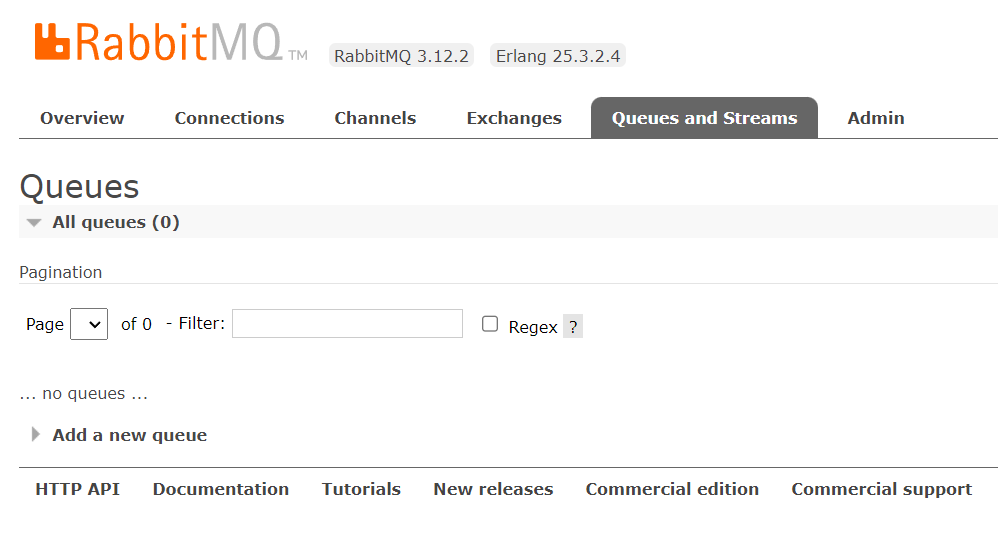
Before running the sender and receiver clients, the queue is empty.
After running Sender
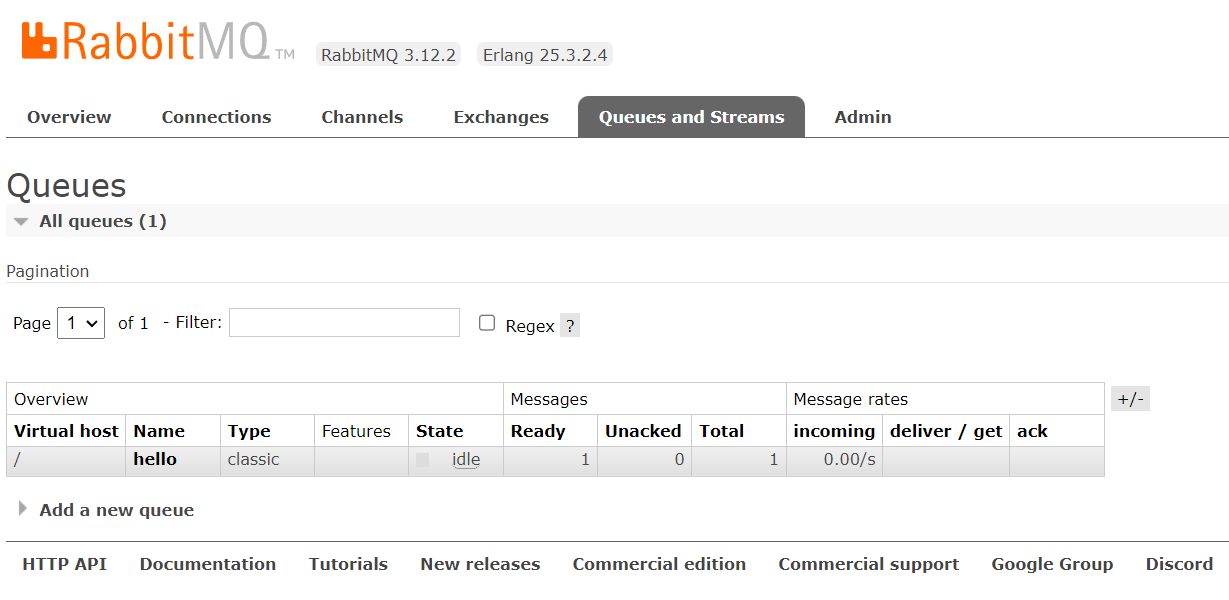
After running the Sender client, the queue changes. You can see that a message has entered the queue.
After running Receiver
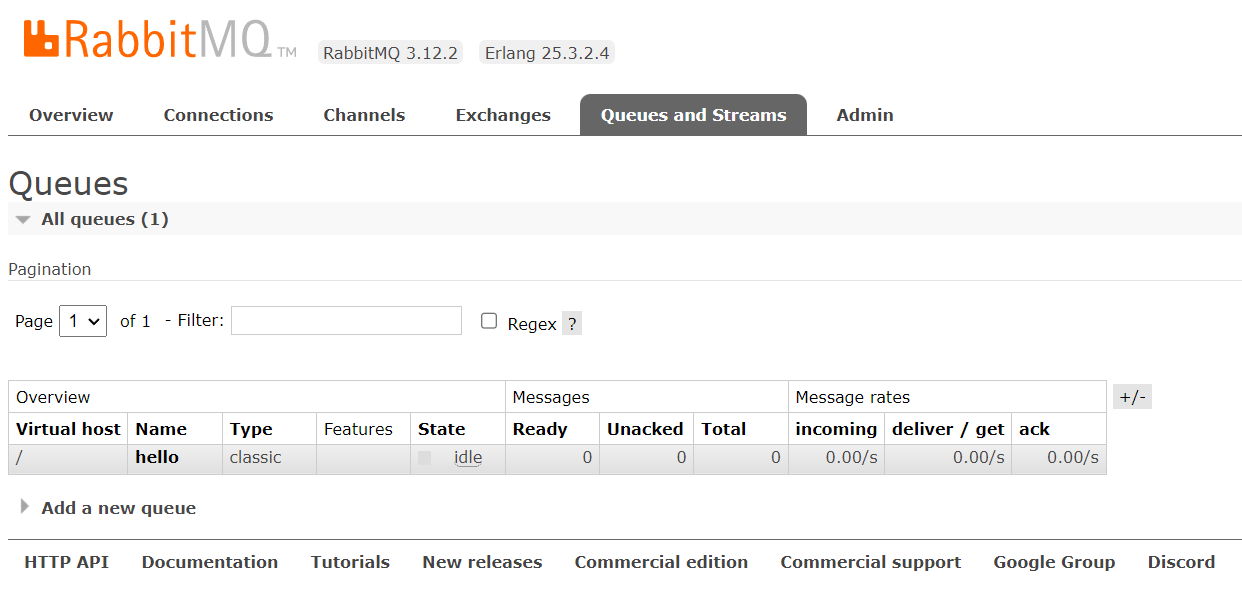
After stopping Sender and running Receiver, the management page shows that the queue is empty again and back to 0.